April 18, 2026
Handling Failed Kafka Events with Retry Topic and DLQ in Spring Boot
In the previous article, we understood why consumers should be idempotent when the same event is delivered more than once.
But there is another important problem in event-driven systems.
Sometimes the consumer receives an event, but it cannot process it successfully.
This can happen because of:
- temporary database failure
- downstream service timeout
- network issue
- invalid event data
- a bug in business logic
If we simply fail the consumer again and again, the same message may keep blocking the processing flow.
If we ignore the failure, we may lose an important event.
So how do we handle failed events safely?
This is exactly the problem that the Retry Topic + DLQ Pattern helps us solve.
In this article, we will understand:
- what problem happens when Kafka event processing fails
- how retry topic helps us retry failed events
- how DLQ helps us store permanently failed events
- how to implement this flow using Spring Boot and Kafka
The Problem
Let us take a simple example.
We have an order event:
{
  "orderId": "order-1001",
  "customerId": "customer-42",
  "amount": 499.99
}
This event is published to Kafka.
The consumer receives the event and tries to process it.
But suppose processing fails because the database is temporarily down.
Now we have a question:
What should happen to this failed event?
We cannot simply ignore it.
At the same time, retrying forever is also not a good idea.
There is one more important problem.
If the consumer keeps failing and the offset is not committed, Kafka can keep delivering the same message again.
For that partition, messages behind this failed message may remain pending.
So one bad event can delay other valid business events.
Example:
order-1001has bad data and keeps failingorder-1002andorder-1003are waiting behind it- downstream processing is delayed
- business flow becomes stuck for that partition
This kind of continuously failing message is often called a poison message.
What Can Go Wrong?
If failed events are not handled carefully, we can face multiple problems.
Case 1: Event is lost
If the consumer catches the exception and does nothing, the event may be lost.
That means the order event was received, but the business action never happened.
Case 2: Event keeps failing forever
If the same event is retried again and again without any limit, it can keep failing forever.
This can waste resources and make debugging harder.
Case 3: One bad event blocks other events
If one event has bad data and keeps failing, it may slow down or block processing for other valid events in the same partition.
That means one bad event can delay many good events.
So instead of keeping the failed event in the main processing path, So we need a controlled retry flow.
This keeps the main topic cleaner and gives us a separate place to handle failures.
Retry Topic + DLQ Pattern Idea
The idea is simple.
Instead of retrying the failed event immediately in the same consumer flow:
- send the failed event to a retry topic
- track how many times it has been retried
- try processing it again from the retry topic
- if it still fails after max attempts, send it to a DLQ
DLQ means Dead Letter Queue.
It is a separate topic where permanently failed events are stored for later inspection.
So the failed event is not lost.
It is moved to a place where we can monitor it, debug it, and decide what to do next.
High-Level Flow
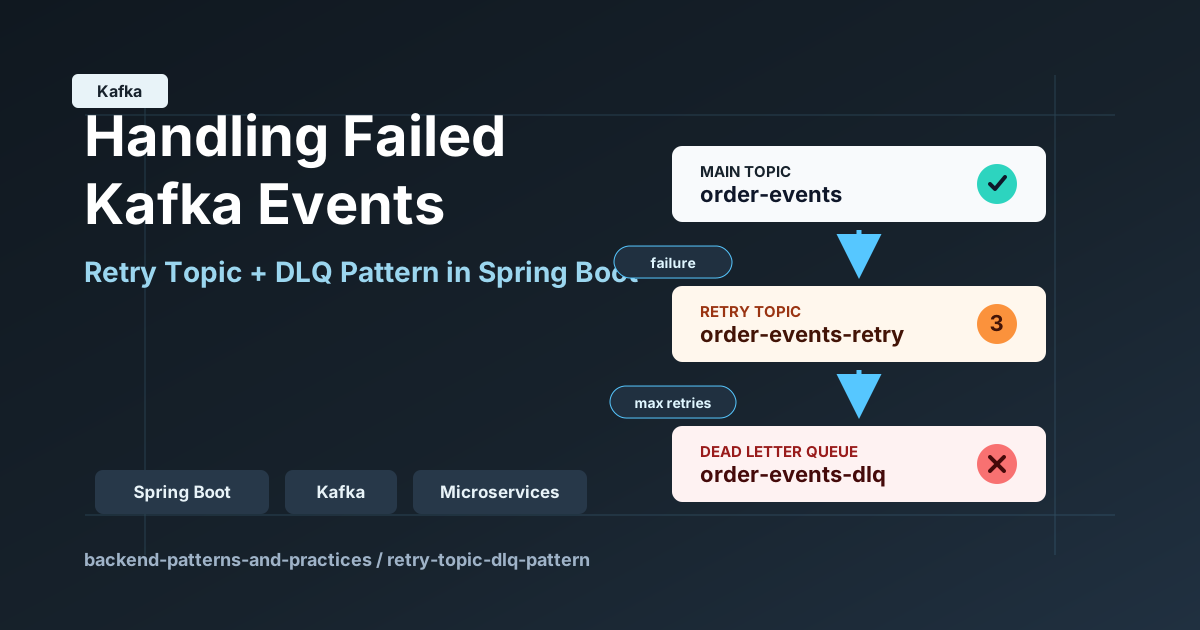
In this demo, we use three Kafka topics:
order-eventsorder-events-retryorder-events-dlq
The flow is:
- API publishes
OrderPlacedEventtoorder-events - Main consumer tries to process the event
- If processing fails, event is sent to
order-events-retry - Retry consumer reads the event and checks retry count
- If retry count is below max attempts, event is sent back to retry topic
- If max attempts are reached, event is sent to
order-events-dlq - DLQ consumer logs the failed event
flowchart TD
    A[Client calls POST /api/events/orders] --> B[Publish OrderPlacedEvent]
    B --> C[order-events topic]
    C --> D[Main Consumer]
    D --> E{Processing Success?}
    E -- Yes --> F[Save processed order in H2]
    E -- No --> G[Send to order-events-retry]
    G --> H[Retry Consumer]
    H --> I{Max retries reached?}
    I -- No --> G
    I -- Yes --> J[Send to order-events-dlq]
    J --> K[DLQ Consumer logs failed event]
Implementation
To understand this better, we have built a small Spring Boot application.
This application keeps the retry logic manual and explicit so the flow is easy to understand.
1) Kafka Topics
KafkaTopicConfig creates three topics:
@Bean
public NewTopic orderEventsTopic() {
    return TopicBuilder.name(mainTopic)
            .partitions(1)
            .replicas(1)
            .build();
}

@Bean
public NewTopic orderEventsRetryTopic() {
    return TopicBuilder.name(retryTopic)
            .partitions(1)
            .replicas(1)
            .build();
}

@Bean
public NewTopic orderEventsDlqTopic() {
    return TopicBuilder.name(dlqTopic)
            .partitions(1)
            .replicas(1)
            .build();
}
The topic names come from application.yml:
app:
  topics:
    main: order-events
    retry: order-events-retry
    dlq: order-events-dlq
This keeps the topic names configurable.
2) Publishing the Order Event
The API endpoint is:
POST /api/events/orders
OrderController accepts the request and calls the service:
@PostMapping("/orders")
@ResponseStatus(HttpStatus.ACCEPTED)
public EventPublishResponse publishOrderEvent(@Valid @RequestBody CreateOrderRequest request) {
    return kafkaRetryDemoService.publish(request);
}
The request body contains:
{
  "orderId": "order-1001",
  "customerId": "customer-42",
  "amount": 499.99
}
In the service, a new OrderPlacedEvent is created with a generated eventId:
public EventPublishResponse publish(CreateOrderRequest request) {
    OrderPlacedEvent event = new OrderPlacedEvent(
            UUID.randomUUID().toString(),
            request.orderId(),
            request.customerId(),
            request.amount()
    );
    sendToMainTopic(event);
    return new EventPublishResponse(
            "Order event published to Kafka for asynchronous processing",
            event.eventId(),
            mainTopic
    );
}
The event is first sent to the main topic:
private void sendToMainTopic(OrderPlacedEvent event) {
    log.info("Publishing eventId={} to main topic={}", event.eventId(), mainTopic);
    kafkaTemplate.send(buildMessage(mainTopic, event, 0));
}
3) Main Consumer
The main consumer listens to order-events:
@KafkaListener(topics = "${app.topics.main}", groupId = "order-events-main-consumer")
public void consumeMainTopic(OrderPlacedEvent event) {
    log.info("Received event on main topic. eventId={}, orderId={}", event.eventId(), event.orderId());

    try {
        process(event);
    } catch (RuntimeException ex) {
        log.warn("Failure occurred on main topic for eventId={}. Sending to retry topic. reason={}",
                event.eventId(), ex.getMessage());
        sendToRetryTopic(event, 1);
    }
}
The logic is simple:
- receive event from main topic
- try to process it
- if processing fails, send it to retry topic
- retry count starts from
1
4) Retry Count Header
To track retry attempts, this demo uses a Kafka header:
private static final String RETRY_COUNT_HEADER = "x-retry-count";
Whenever an event is sent to Kafka, the retry count is added as a header:
private Message<OrderPlacedEvent> buildMessage(String topic, OrderPlacedEvent event, int retryCount) {
    return MessageBuilder.withPayload(event)
            .setHeader(KafkaHeaders.TOPIC, topic)
            .setHeader(KafkaHeaders.KEY, event.eventId())
            .setHeader(RETRY_COUNT_HEADER, String.valueOf(retryCount))
            .build();
}
This header helps the retry consumer decide whether to retry again or move the event to DLQ.
5) Retry Consumer
The retry consumer listens to order-events-retry.
@KafkaListener(topics = "${app.topics.retry}", groupId = "order-events-retry-consumer")
public void consumeRetryTopic(ConsumerRecord<String, OrderPlacedEvent> record) {
    OrderPlacedEvent event = record.value();
    int retryCount = readRetryCount(record);

    log.info("Received event on retry topic. eventId={}, orderId={}, retryCount={}",
            event.eventId(), event.orderId(), retryCount);

    try {
        process(event);
    } catch (RuntimeException ex) {
        log.warn("Failure occurred on retry topic for eventId={}. retryCount={}, reason={}",
                event.eventId(), retryCount, ex.getMessage());

        if (retryCount >= maxAttempts) {
            log.warn("Max retries reached for eventId={}. Sending to DLQ.", event.eventId());
            sendToDlq(event, retryCount);
            return;
        }

        int nextRetryCount = retryCount + 1;
        log.info("Retry attempt count increased for eventId={} to {}", event.eventId(), nextRetryCount);
        sendToRetryTopic(event, nextRetryCount);
    }
}
The retry consumer does three important things:
- reads the retry count from the header
- tries to process the event again
- sends the event to DLQ when max retries are reached
In this demo, max attempts are configured like this:
app:
  retry:
    max-attempts: 3
6) Reading the Retry Count
The retry count is read from the Kafka header:
private int readRetryCount(ConsumerRecord<String, OrderPlacedEvent> record) {
    Header header = record.headers().lastHeader(RETRY_COUNT_HEADER);
    if (header == null || header.value() == null || header.value().length == 0) {
        return 0;
    }

    return Integer.parseInt(new String(header.value(), StandardCharsets.UTF_8));
}
If the header is missing, the retry count is treated as 0.
This makes the retry flow easier to handle safely.
7) Sending to DLQ
Once max retries are reached, the event is sent to the DLQ topic:
private void sendToDlq(OrderPlacedEvent event, int retryCount) {
    log.info("Sending eventId={} to DLQ topic={} after retryCount={}",
            event.eventId(), dlqTopic, retryCount);
    kafkaTemplate.send(buildMessage(dlqTopic, event, retryCount));
}
The DLQ consumer logs the failed event:
@KafkaListener(topics = "${app.topics.dlq}", groupId = "order-events-dlq-consumer")
public void consumeDlqTopic(OrderPlacedEvent event) {
    log.error("Received event in DLQ. eventId={}, orderId={}", event.eventId(), event.orderId());
}
In real production systems, the DLQ is not just for logging.
Usually, teams monitor DLQ events and decide whether to:
- fix the bad data
- replay the event
- alert the owning team
- investigate a downstream failure
Processing Logic
To make the retry behavior easy to test, this project has a flag:
app:
  processing:
    fail-enabled: true
When this value is true, processing always fails:
void process(OrderPlacedEvent event) {
    log.info("Processing eventId={}, orderId={}", event.eventId(), event.orderId());

    if (failEnabled) {
        throw new RuntimeException("Demo failure is enabled by app.processing.fail-enabled=true");
    }

    if (processedOrderRepository.existsByEventId(event.eventId())) {
        log.info("Order already processed for eventId={}. Skipping duplicate success path.", event.eventId());
        return;
    }

    ProcessedOrder processedOrder = new ProcessedOrder(
            event.eventId(),
            event.orderId(),
            event.customerId(),
            event.amount(),
            LocalDateTime.now()
    );
    processedOrderRepository.save(processedOrder);
    log.info("Successfully processed eventId={}, orderId={} and saved it to H2",
            event.eventId(), event.orderId());
}
When fail-enabled=false, the event is processed successfully and saved into H2.
The ProcessedOrder entity stores:
eventIdorderIdcustomerIdamountprocessedAt
One important detail is that eventId is unique:
@Column(nullable = false, unique = true)
private String eventId;
This helps avoid duplicate successful processing for the same event.
End-to-End Testing (Local)
For this example, Kafka is expected to run locally on:
localhost:9092
The Spring Boot app runs on:
http://localhost:8082
Start the application:
mvn -pl retry-topic-dlq-pattern spring-boot:run
Now publish an order event:
curl -X POST http://localhost:8082/api/events/orders \
  -H "Content-Type: application/json" \
  -d '{
    "orderId":"order-1001",
    "customerId":"customer-42",
    "amount":499.99
  }'
Response:
{
    "message": "Order event published to Kafka for asynchronous processing",
    "eventId": "67c92559-f79a-42fc-a882-f172c1b9f935",
    "topic": "order-events"
}
Scenario 1: Processing Succeeds
Set:
app:
  processing:
    fail-enabled: false
Expected flow:
- event is published to
order-events - main consumer receives it
- processing succeeds
- row is inserted into H2
In this case, retry topic and DLQ are not used.
After successful processing, we can see one row in the PROCESSED_ORDER table:

Scenario 2: Processing Fails and Goes to DLQ
Set:
app:
  processing:
    fail-enabled: true
Expected flow:
- main consumer receives the event
- processing fails
- event is sent to
order-events-retrywithx-retry-count=1 - retry consumer receives it
- retry count increases
- after max attempts, event is sent to
order-events-dlq - DLQ consumer logs the failed event
This clearly shows that the failed event is not lost.
It is moved to DLQ after controlled retry attempts.
Logs To Observe The Flow
The application logs the important steps clearly.
When processing fails and the event moves through retry and DLQ, we can see the full flow in the logs:
Received event on main topic. eventId=67c92559-f79a-42fc-a882-f172c1b9f935, orderId=order-1001
Processing eventId=67c92559-f79a-42fc-a882-f172c1b9f935, orderId=order-1001

Failure occurred on main topic for eventId=67c92559-f79a-42fc-a882-f172c1b9f935. Sending to retry topic. reason=Demo failure is enabled by app.processing.fail-enabled=true

Sending eventId=67c92559-f79a-42fc-a882-f172c1b9f935 to retry topic=order-events-retry with retryCount=1

Received event on retry topic. eventId=67c92559-f79a-42fc-a882-f172c1b9f935, orderId=order-1001, retryCount=1

Processing eventId=67c92559-f79a-42fc-a882-f172c1b9f935, orderId=order-1001
Failure occurred on retry topic for eventId=67c92559-f79a-42fc-a882-f172c1b9f935. retryCount=1, reason=Demo failure is enabled by app.processing.fail-enabled=true

Retry attempt count increased for eventId=67c92559-f79a-42fc-a882-f172c1b9f935 to 2
Sending eventId=67c92559-f79a-42fc-a882-f172c1b9f935 to retry topic=order-events-retry with retryCount=2

Received event on retry topic. eventId=67c92559-f79a-42fc-a882-f172c1b9f935, orderId=order-1001, retryCount=2
Processing eventId=67c92559-f79a-42fc-a882-f172c1b9f935, orderId=order-1001

Failure occurred on retry topic for eventId=67c92559-f79a-42fc-a882-f172c1b9f935. retryCount=2, reason=Demo failure is enabled by app.processing.fail-enabled=true
Retry attempt count increased for eventId=67c92559-f79a-42fc-a882-f172c1b9f935 to 3

Sending eventId=67c92559-f79a-42fc-a882-f172c1b9f935 to retry topic=order-events-retry with retryCount=3
Received event on retry topic. eventId=67c92559-f79a-42fc-a882-f172c1b9f935, orderId=order-1001, retryCount=3

Processing eventId=67c92559-f79a-42fc-a882-f172c1b9f935, orderId=order-1001
Failure occurred on retry topic for eventId=67c92559-f79a-42fc-a882-f172c1b9f935. retryCount=3, reason=Demo failure is enabled by app.processing.fail-enabled=true

Max retries reached for eventId=67c92559-f79a-42fc-a882-f172c1b9f935. Sending to DLQ.
Sending eventId=67c92559-f79a-42fc-a882-f172c1b9f935 to DLQ topic=order-events-dlq after retryCount=3
Received event in DLQ. eventId=67c92559-f79a-42fc-a882-f172c1b9f935, orderId=order-1001
These logs make it easy to verify:
- event first went to the main topic
- processing failed
- event moved to retry topic
- retry count increased
- event finally moved to DLQ
Why Not Retry Forever?
Retrying forever may sound simple, but it creates problems.
If the event has bad data, retrying will never fix it.
If the downstream system is down for a long time, endless retries can create unnecessary load.
If many events fail, retrying everything continuously can make the system unstable.
That is why we need:
- limited retry attempts
- clear retry tracking
- DLQ for failed events
- monitoring and alerting
What This Solves
Retry Topic + DLQ Pattern helps us handle failed events in a controlled way.
It gives us:
- retry for temporary failures
- protection from endless retry loops
- a separate place for permanently failed events
- better debugging and monitoring
This is very useful in event-driven systems where message processing can fail due to temporary or permanent issues.
What Is Still Required for Production
This demo keeps the implementation simple for learning.
In production systems, we usually need more things:
- retry delay or backoff
- separate retry topics for different delays
- DLQ monitoring and alerting
- replay mechanism from DLQ
- better error classification
- idempotent consumers
- tracing and correlation IDs
Retry With Backoff
In this demo, retry happens immediately.
This keeps the implementation simple and easy to understand.
But in production, immediate retry is not always useful.
If the database is down, retrying again within milliseconds will probably fail again.
So production systems usually use retry with backoff.
Example:
- first retry after 10 seconds
- second retry after 1 minute
- third retry after 5 minutes
This gives temporary failures some time to recover.
Some systems use separate retry topics for each delay window.
For example:
order-events-retry-10sorder-events-retry-1morder-events-retry-5m
Ordering Consideration
Retry topics also introduce one important tradeoff.
If strict ordering is required for events with the same key, retry design needs extra care.
Moving one failed event to a retry topic can allow later events to continue in the main topic.
That is good for availability.
But it may change the original processing order.
So if ordering is very important, the retry strategy should be designed based on the business requirement.
Spring Kafka Support
This demo implements the retry flow manually so the idea is easy to understand.
Spring Kafka also provides retry topic support, which can reduce some boilerplate in production applications.
But understanding the manual flow first makes the pattern much clearer.
One important point:
Retry and DLQ do not replace idempotency.
If the same event is retried or replayed, the consumer should still be safe to process duplicates.
So Retry Topic + DLQ and Idempotent Consumer solve different problems.
Retry Topic + DLQ vs Idempotent Consumer
These two patterns are related, but they are not the same.
Retry Topic + DLQ
- handles failed processing
- retries temporary failures
- moves permanently failed events to DLQ
Idempotent Consumer
- handles duplicate event delivery
- prevents duplicate business side effects
- makes retry and replay safer
In real systems, we often need both.
Conclusion
Failures are normal in event-driven systems.
A Kafka consumer may fail because of database issues, downstream timeouts, bad data, or application bugs.
Retry Topic + DLQ Pattern gives us a practical way to handle these failures.
Simple summary:
- process event from main topic
- if it fails, send it to retry topic
- track retry count using a header
- retry only up to a configured limit
- after max retries, move the event to DLQ
- monitor and debug DLQ events later
This gives us a much cleaner and safer event-processing flow.
Repository for this demo: backend-patterns-and-practices/retry-topic-dlq-pattern.