April 25, 2026
Understanding How Kafka Replication Works
In the previous articles, we looked at a few reliability patterns in event-driven systems:
- Outbox Pattern
- Idempotent Consumer
- Retry Topic and DLQ
All of these patterns help us build more reliable systems.
But there is one more important thing happening inside Kafka itself.
Kafka also protects data by storing copies of a partition on multiple brokers.
This is called replication.
At first, replication sounds simple:
keep multiple copies of the same data.
But when we go a little deeper, a few questions come up:
- who receives the write?
- how do followers get the data?
- what happens if the leader broker fails?
- when is a message considered safe?
- what is ISR?
- how do
acksandmin.insync.replicaswork together?
In this article, we will understand Kafka replication step by step in a simple way.
The Problem
Let us take a simple example.
Suppose we have an order-events topic.
Our application publishes an event:
{
  "orderId": "order-1001",
  "status": "CREATED"
}
Now imagine this event is stored only on one Kafka broker.
If that broker goes down before another broker has a copy, the event may become unavailable or even lost depending on the failure scenario.
That is risky.
Kafka is used in systems where events are important:
- order events
- payment events
- inventory events
- notification events
- audit events
So Kafka needs a way to keep data available even when a broker fails.
This is where replication helps.
What Is Kafka Replication?
Kafka replication means keeping multiple copies of a topic partition across different brokers.
The important point is:
Kafka replicates partitions, not the whole topic as one unit.
For example, suppose we create a topic with:
- partitions = 3
- replication factor = 3
This means:
- each partition will have 3 copies
- one copy will be the leader
- remaining copies will be followers
So if one broker fails, Kafka can still use another replica.
Topic, Partition, and Replica
Before understanding replication, we should be clear about these three terms.
Topic
A topic is a logical stream of events.
Example:
order-events
Partition
A topic is split into partitions.
Partitions help Kafka scale reads and writes.
Example:
order-events-0
order-events-1
order-events-2
Replica
A replica is a copy of a partition.
If partition 0 has replication factor 3, then Kafka keeps 3 copies of that partition on different brokers.
Leader and Followers
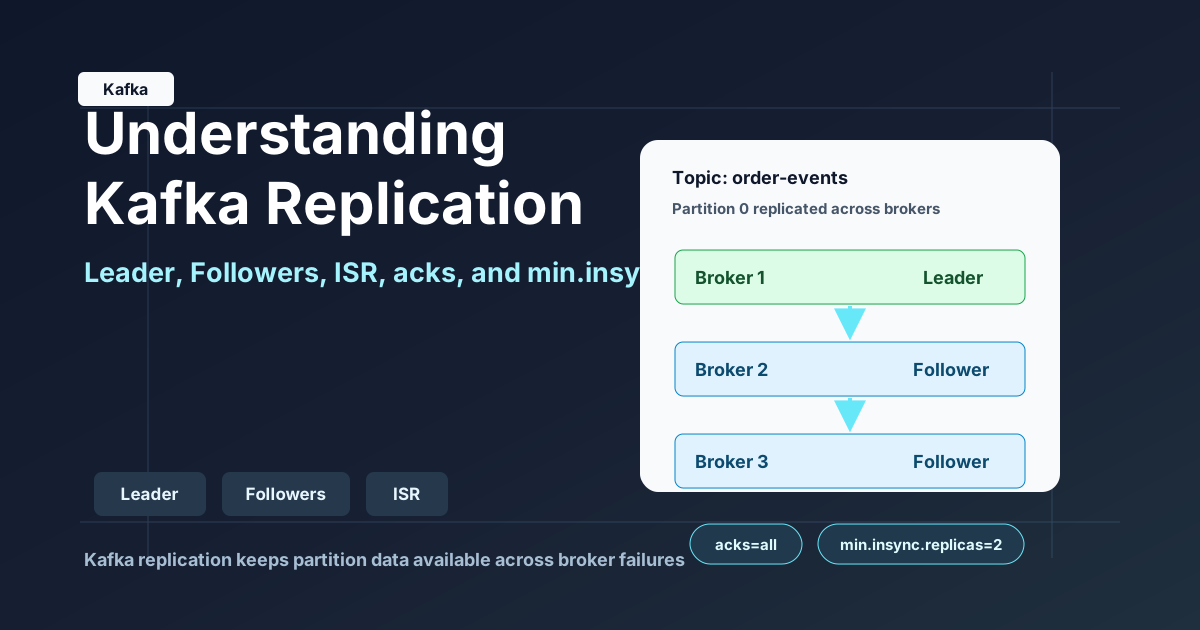
For every partition, Kafka chooses one replica as the leader.
The remaining replicas become followers.
The leader is responsible for handling reads and writes for that partition in the normal flow.
Followers copy data from the leader.
Example:
Partition: order-events-0

Broker 1 -> Leader
Broker 2 -> Follower
Broker 3 -> Follower
The flow is:
- producer sends message to leader
- leader writes message to its local log
- followers fetch the message from the leader
- followers write the same message to their logs
Here is a simple visual way to think about it:
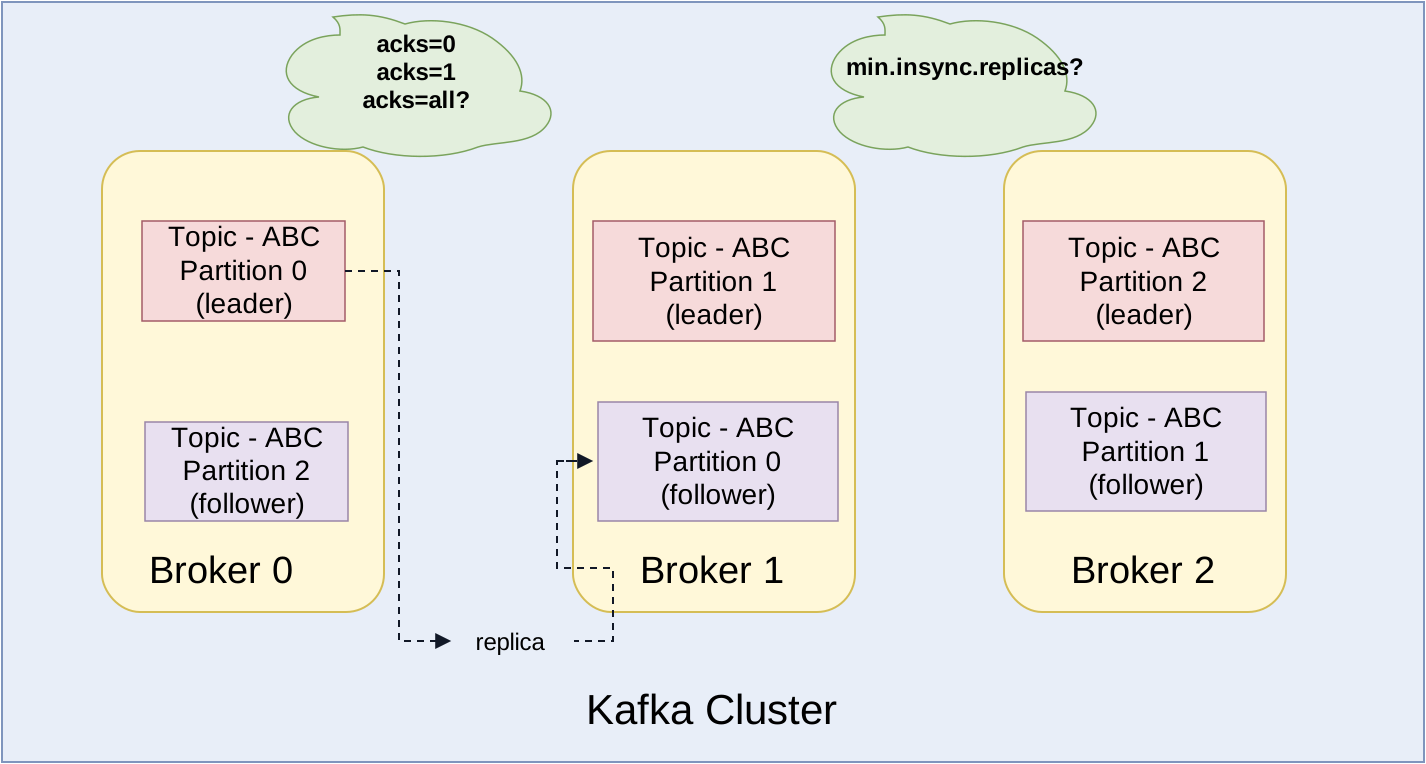
flowchart LR
    A[Producer] --> B[Leader Replica - Broker 1]
    B --> C[Follower Replica - Broker 2]
    B --> D[Follower Replica - Broker 3]
So the followers are not independently receiving producer writes.
They replicate from the leader.
Why Do We Need a Leader?
A common question is:
If all brokers have a copy, why not write to any broker?
If multiple replicas accepted writes independently, it would become very difficult to keep ordering and consistency.
Kafka keeps the model simpler.
For each partition:
- one replica acts as the leader
- producer writes go to the leader
- followers copy from the leader
- if the leader fails, one follower can become the new leader
This keeps the partition log consistent.
What Is Replication Factor?
Replication factor means how many copies of each partition Kafka should maintain.
Example:
replication factor = 3
This means every partition has 3 replicas.
One replica is leader.
The other two replicas are followers.
If replication factor is 1, then there is only one copy.
That means the topic is not really replicated.
In production systems, a common setup is:
replication factor = 3
This allows Kafka to tolerate broker failures better.
What Happens When a Broker Fails?
Suppose partition order-events-0 has these replicas:
Broker 1 -> Leader
Broker 2 -> Follower
Broker 3 -> Follower
Now suppose Broker 1 goes down.
Kafka needs to choose a new leader.
Usually, Kafka chooses a new leader from replicas that are still in sync.
Example:
Broker 2 -> New Leader
Broker 3 -> Follower
After this, producers and consumers continue working with the new leader.
This is how replication helps with availability.
What Is ISR?
ISR means In-Sync Replicas.
It is the set of replicas that are caught up with the leader.
Example:
Leader: Broker 1
Followers: Broker 2, Broker 3
ISR: Broker 1, Broker 2, Broker 3
This means all replicas are in sync.
Now suppose Broker 3 becomes slow because of network or disk issues.
It falls behind the leader.
Kafka may remove it from ISR.
Now:
Leader: Broker 1
Followers: Broker 2, Broker 3
ISR: Broker 1, Broker 2
Broker 3 still exists as a replica, but Kafka does not consider it fully caught up at that moment.
Why ISR Is Important
ISR is important for two reasons.
1. Safe Leader Election
If the leader fails, Kafka should choose a new leader that has the latest data.
That is why Kafka prefers replicas from ISR.
If a follower is far behind and becomes leader, recently written messages may be missing.
So ISR helps Kafka choose a safer leader.
2. Producer Acknowledgement
ISR also affects when Kafka considers a write successful.
This depends on producer configuration like acks.
Let us understand that next.
Producer Acknowledgements
When a producer sends a message to Kafka, it can decide how much acknowledgement it wants.
This is controlled by acks.
acks=0
The producer does not wait for any acknowledgement.
This is fast, but risky.
If something fails, the producer may not know.
acks=1
The producer waits only for the leader to write the message.
Once the leader writes it, Kafka sends success to the producer.
This is better than acks=0, but there is still a risk.
If the leader fails before followers copy the data, the message may be lost.
acks=all
The producer waits until the leader and required in-sync replicas acknowledge the message.
This gives stronger durability.
It is commonly used for important events.
What Is min.insync.replicas?
min.insync.replicas defines how many in-sync replicas must be available for a write to be successful when producer uses acks=all.
Example:
replication factor = 3
min.insync.replicas = 2
acks = all
This means:
- Kafka has 3 copies of each partition
- at least 2 in-sync replicas are required
- producer gets success only when the write is safely acknowledged according to this rule
This is a common production-friendly setup.
It balances durability and availability.
Example Flow with acks=all
Let us take this setup:
Replication factor = 3
min.insync.replicas = 2
acks = all
Replicas:
Broker 1 -> Leader
Broker 2 -> Follower
Broker 3 -> Follower
Flow:
- producer sends event to leader
- leader writes event to its log
- follower replicas fetch the event
- at least 2 in-sync replicas must acknowledge the write
- producer receives success
flowchart TD
    A[Producer sends event] --> B[Leader writes event]
    B --> C[Follower 1 replicates event]
    B --> D[Follower 2 replicates event]
    C --> E{Minimum ISR satisfied?}
    D --> E
    E -- Yes --> F[Producer gets success]
    E -- No --> G[Producer gets error]
If Kafka cannot satisfy min.insync.replicas, the producer will get an error instead of silently accepting an unsafe write.
That is useful.
It tells the producer:
Kafka does not currently have enough in-sync replicas to safely accept this write.
What If One Follower Is Down?
Suppose we have:
replication factor = 3
min.insync.replicas = 2
acks = all
Now Broker 3 goes down.
Current state:
Broker 1 -> Leader
Broker 2 -> Follower
Broker 3 -> Down
ISR: Broker 1, Broker 2
Kafka can still accept writes because 2 in-sync replicas are available.
Now suppose Broker 2 also falls out of sync.
Current state:
Broker 1 -> Leader
Broker 2 -> Out of sync
Broker 3 -> Down
ISR: Broker 1
Now Kafka cannot satisfy min.insync.replicas = 2.
With acks=all, the producer will get an error.
This is better than accepting writes that may be unsafe.
Replication Does Not Mean Zero Data Loss Always
Replication improves durability and availability.
But it does not automatically mean there is no possibility of data loss in every configuration.
The actual safety depends on settings like:
- replication factor
acksmin.insync.replicas- whether unclean leader election is allowed
- how many brokers fail at the same time
For important events, we should not rely only on default settings.
We should think about durability requirements clearly.
Common Production Setup
For important Kafka topics, a common setup is:
replication.factor=3
min.insync.replicas=2
acks=all
What this gives:
- 3 copies of each partition
- producer waits for stronger acknowledgement
- Kafka rejects writes if too few replicas are in sync
- one broker can fail and the topic can still continue accepting writes
This is not the only valid setup.
But it is a good starting point to understand the durability tradeoff.
Common Misunderstandings
Replication factor 3 means 3 leaders
No.
For a single partition, there is only one leader at a time.
The other replicas are followers.
Followers receive writes directly from producer
No.
Producer writes go to the leader.
Followers replicate from the leader.
acks=all means all replicas forever
Not exactly.
acks=all works with in-sync replicas and min.insync.replicas.
If a replica is out of ISR, Kafka does not wait for that lagging replica as part of the successful write path.
Replication replaces backups
No.
Replication helps with broker failure and availability.
It is not the same as backups or disaster recovery.
Conclusion
Kafka replication is one of the core reasons Kafka can be used for reliable event streaming.
The simple idea is:
- topic is split into partitions
- each partition can have multiple replicas
- one replica becomes leader
- followers copy data from leader
- ISR tracks replicas that are caught up
- producer
ackscontrols when a write is considered successful min.insync.replicashelps enforce stronger durability
If we are building event-driven systems, understanding replication is very important.
It helps us reason about:
- what happens when a broker fails
- when a producer gets success
- why some writes may fail
- how Kafka protects important events
In short:
Replication gives Kafka fault tolerance, but durability depends on how we configure it.
That is the key takeaway.