March 27, 2026
Outbox Pattern Explained: From Problem to Implementation (Spring Boot + Kafka)
In distributed systems, generally one service often does multiple things together:
- save business data in database
- publish an event to Kafka
At first, this looks simple.
But if this is not handled carefully, we can get data inconsistency.
In this article, we will understand:
- what problem we face when doing DB + Kafka together
- why this problem happens
- how Outbox Pattern solves it
- practical Spring Boot implementation (with code)
The Problem
Let us take a simple example.
We have an Order Service.
When an order is created, we want to:
- save order in DB
- publish
ORDER_CREATEDevent to Kafka
A direct implementation usually looks like this:
public void createOrder(CreateOrderRequest request) {
    Order order = orderRepository.save(new Order(request.productName(), request.quantity()));
    kafkaTemplate.send("order-events", order);
}
Looks fine, but there are failure gaps.
What Can Go Wrong?
Case 1: DB success, Kafka failure
- order row is committed in DB
- Kafka publish fails
Now order exists, but downstream services never get event.
Case 2: Event publish starts, but app fails before DB commit completes
- event flow and DB flow are not truly atomic
- system can move into inconsistent state
In short: doing DB + message publish as separate operations is risky.
Why Not Use Distributed Transactions (2PC)?
A common question here is:
If we want DB write and Kafka publish to behave like one unit, why not just use one transaction across both?
This is where distributed transaction comes in.
A distributed transaction tries to make multiple different systems commit together.
For example:
- database
- message broker
- another external system
One common approach is 2PC (Two-Phase Commit).
In simple terms, how 2PC works It happens in 2 phases:
Phase 1: Prepare
A coordinator asks all participating systems:
Are you ready to commit?
Phase 2: Commit
If all participants say yes, coordinator sends final commit command. Then all systems commit.
If even one participant fails, coordinator tells everyone to roll back.
Although this sounds good, in practice it has problems:
- complex to implement
- expensive and it can reduce performance
- avoided in most microservice architectures
So we need a simpler pattern.
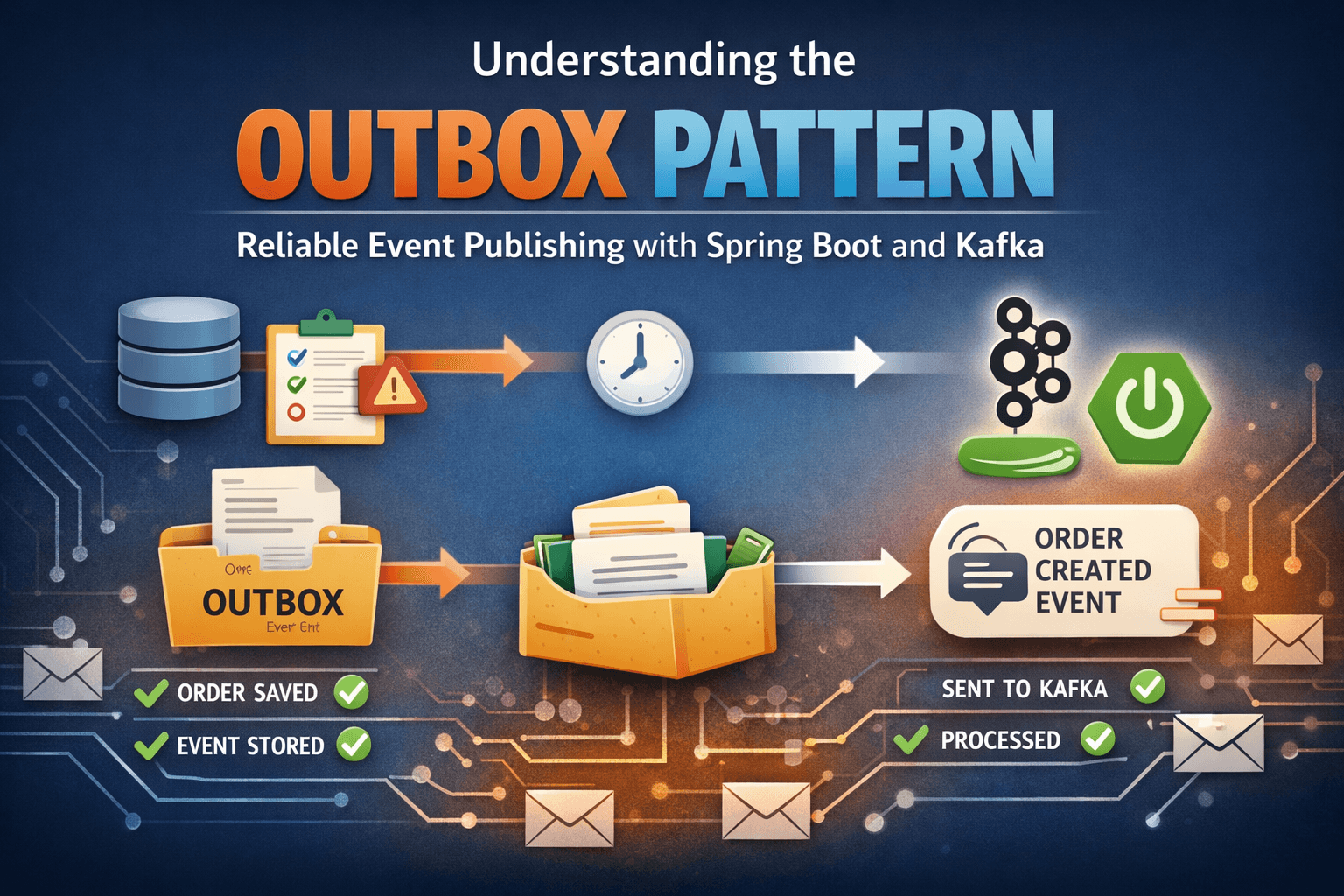
Outbox Pattern Idea
Instead of publishing event directly to Kafka inside business flow:
- save order
- save event in outbox table
- both in same DB transaction
Then a separate publisher reads outbox and pushes to Kafka.
This gives us reliable handoff.
High-Level Flow
- Client calls
POST /orders - Service saves order in
orderstable - Service saves event in
outboxtable with statusNEW - Transaction commits
- Scheduler reads
NEWevents from outbox - Publishes each event to Kafka
- Marks event as
PROCESSED
flowchart TD
    A[Client calls POST /orders] --> B[Order Service]
    B --> C[Save order in orders table]
    C --> D[Save event in outbox table with status NEW]
    D --> E[Single DB transaction commits]

    E --> F[Scheduler polls outbox table]
    F --> G{Any NEW events?}
    G -- Yes --> H[Publish event to Kafka topic]
    H --> I[Mark outbox row as PROCESSED]
    G -- No --> J[Wait for next poll]
Implementation From This Project
1) Order + Outbox write in one transaction
OrderService#createOrder:
@Transactional
public Order createOrder(CreateOrderRequest request) {
    Order order = orderRepository.save(new Order(request.productName(), request.quantity()));

    String payload = toJson(order);
    OutboxEvent outboxEvent = new OutboxEvent(order.getId(), "ORDER_CREATED", payload, OutboxStatus.NEW);
    outboxEventRepository.save(outboxEvent);

    return order;
}
Key point:
- order row and outbox row are inserted in same transaction
If transaction fails, both fail.
2) Outbox event model
OutboxEvent:
@Entity
@Table(name = "outbox")
public class OutboxEvent {

    @Id
    @GeneratedValue(strategy = GenerationType.IDENTITY)
    private Long id;

    @Column(name = "aggregate_id", nullable = false)
    private Long aggregateId;

    @Column(name = "event_type", nullable = false)
    private String eventType;

    @Lob
    @Column(nullable = false)
    private String payload;

    @Enumerated(EnumType.STRING)
    @Column(nullable = false)
    private OutboxStatus status;

    @Column(name = "created_at", nullable = false)
    private LocalDateTime createdAt;
}
Status enum:
public enum OutboxStatus {
    NEW,
    PROCESSED
}
3) Running Kafka Locally
For this example, Kafka is running locally using Docker.
We are using a simple Docker setup with a single Kafka broker exposed on:
localhost:9092
This keeps the setup simple and easy to run.
In real production systems, Kafka will be a distributed cluster, but for understanding the Outbox Pattern, a local setup is sufficient.
4) Poll and publish pending events
OutboxPublisher#publishNewEvents:
@Scheduled(fixedDelayString = "${outbox.publisher.delay-ms:5000}")
@Transactional
public void publishNewEvents() {
    List<OutboxEvent> events = outboxEventRepository.findTop20ByStatusOrderByCreatedAtAsc(OutboxStatus.NEW);

    for (OutboxEvent event : events) {
        try {
            kafkaTemplate.send("order-events", String.valueOf(event.getAggregateId()), event.getPayload()).get();
            event.markProcessed();
        } catch (Exception e) {
            log.error("Failed to publish outbox event: outboxId={}", event.getId(), e);
        }
    }
}
Repository method:
List<OutboxEvent> findTop20ByStatusOrderByCreatedAtAsc(OutboxStatus status);
Why this is good:
- publishes in created order
- processes in small batch
- only
NEWrecords are picked
Production note: In high-scale systems, polling is often replaced by CDC (Change Data Capture) tools (for example, Debezium) to stream outbox changes in near real-time.
End-to-End Testing (Local)
Now let us test the full flow end to end.
1) Create Order via cURL
curl --location 'http://localhost:8080/orders' \
--header 'Content-Type: application/json' \
--data '{
  "productName": "iPhone 17",
  "quantity": 1
}'
Response
{
    "id": 1,
    "productName": "iPhone 17",
    "quantity": 1,
    "createdAt": "2026-03-21T14:40:53.715335"
}
2) Verify orders table
- new order row inserted

3) Verify outbox table
- one new row created
event_type = ORDER_CREATED- payload has order details
- status moves from
NEWtoPROCESSEDafter publisher runs

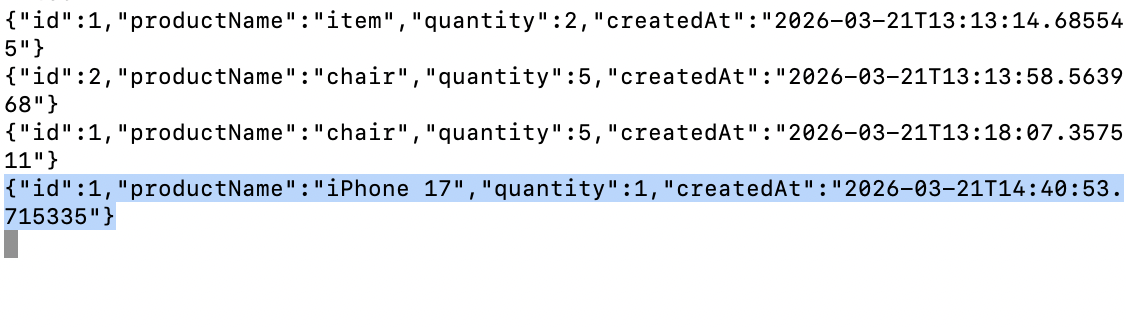
4) Verify Kafka Consumer Output
Start a consumer and read from order-events topic.
kafka-console-consumer \
  --bootstrap-server localhost:9092 \
  --topic order-events \
  --from-beginning
What This Solves
Outbox pattern solves the biggest issue:
- business data and event intent are stored atomically
So we avoid "order committed but event completely lost" case.
What Is Still Required for Production
Outbox improves reliability, but we still need:
- retry/backoff strategy for publish failures
- dead-letter handling
- idempotent consumers
- monitoring for stuck
NEWrows
Important edge case:
If Kafka publish succeeds but app crashes before marking PROCESSED, event can be published again later.
That is why consumer idempotency is very important.
Conclusion
If your service writes to DB and also publishes events, Outbox Pattern is one of the safest practical approaches.
It keeps your system consistent without distributed transaction complexity.
Simple summary:
- write business row + outbox row together
- publish asynchronously from outbox
- mark processed
- design consumers to handle duplicates safely
That gives a robust and production-friendly event flow.
Repository for this demo: GitHub Repository