March 14, 2026
How Databases Implement Isolation Internally — Locks & MVCC Explained
In the previous article, we understood what Transactions are, why Isolation matters, and how different Isolation Levels handle concurrency problems.
But one question is still open:
How do databases actually make Isolation Levels work behind the scenes?
In this article, we will understand exactly that.
When two users try to read or modify the same data, the database needs a way to make sure everything stays consistent. To do this, databases mainly use two techniques:
-
Locks
-
MVCC (Multi-Version Concurrency Control)
Let’s understand both with simple examples.
Lock-Based Concurrency Control
Locking is one of the simplest ways to maintain consistency.
Think of it like using a public washroom.
If someone is inside, the door is locked, and everyone else must wait outside.
Once the person comes out and unlocks the door, the next person can use it.
Databases work in a similar way — when one transaction is using a piece of data, others have to wait until it’s free.
A lock tells the database:
-
"Someone is reading this row — don’t allow writes."
-
"Someone is writing this row — don’t allow read/write."
So databases ensure only safe operations happen at the same time.
Types of Locks
-
Shared Lock (S Lock) — Used for Reads
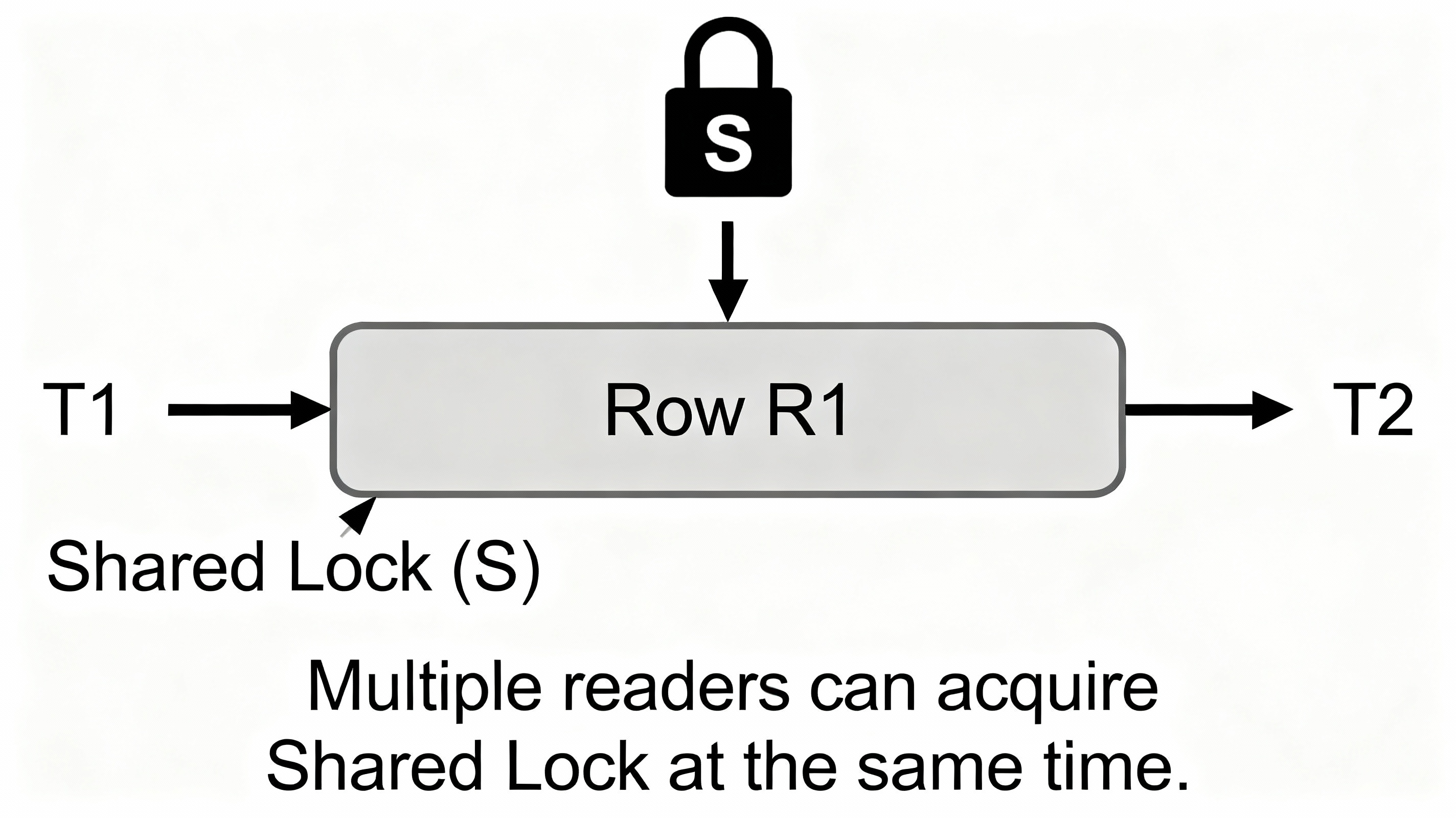
If a transaction wants to read a row, it takes a Shared Lock.
Multiple readers can hold shared locks at the same time.
But writers cannot write until all shared locks are released.
Example
-
T1 reads product row → Shared Lock
-
T2 also reads → Shared Lock
-
T3 wants to update → must wait
-
-
Exclusive Lock (X Lock) — Used for Writes
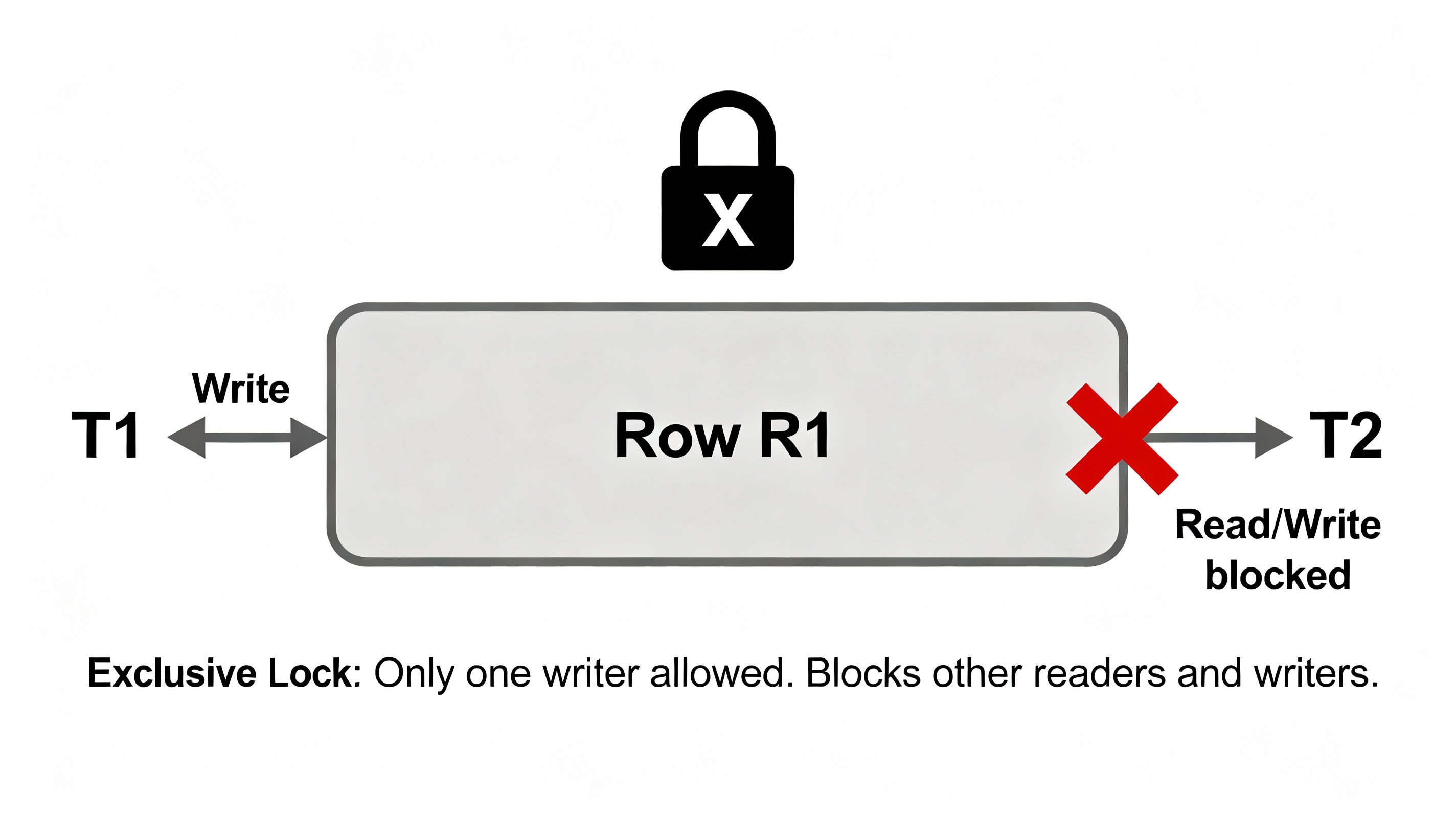
Only one transaction can hold an Exclusive Lock.
And no one else can read or write until this lock is released.
Example
-
T1 updates product → Exclusive Lock
-
T2 tries to read → blocked
-
T3 tries to update → blocked
-
-
Range Locks (Predicate Locks)
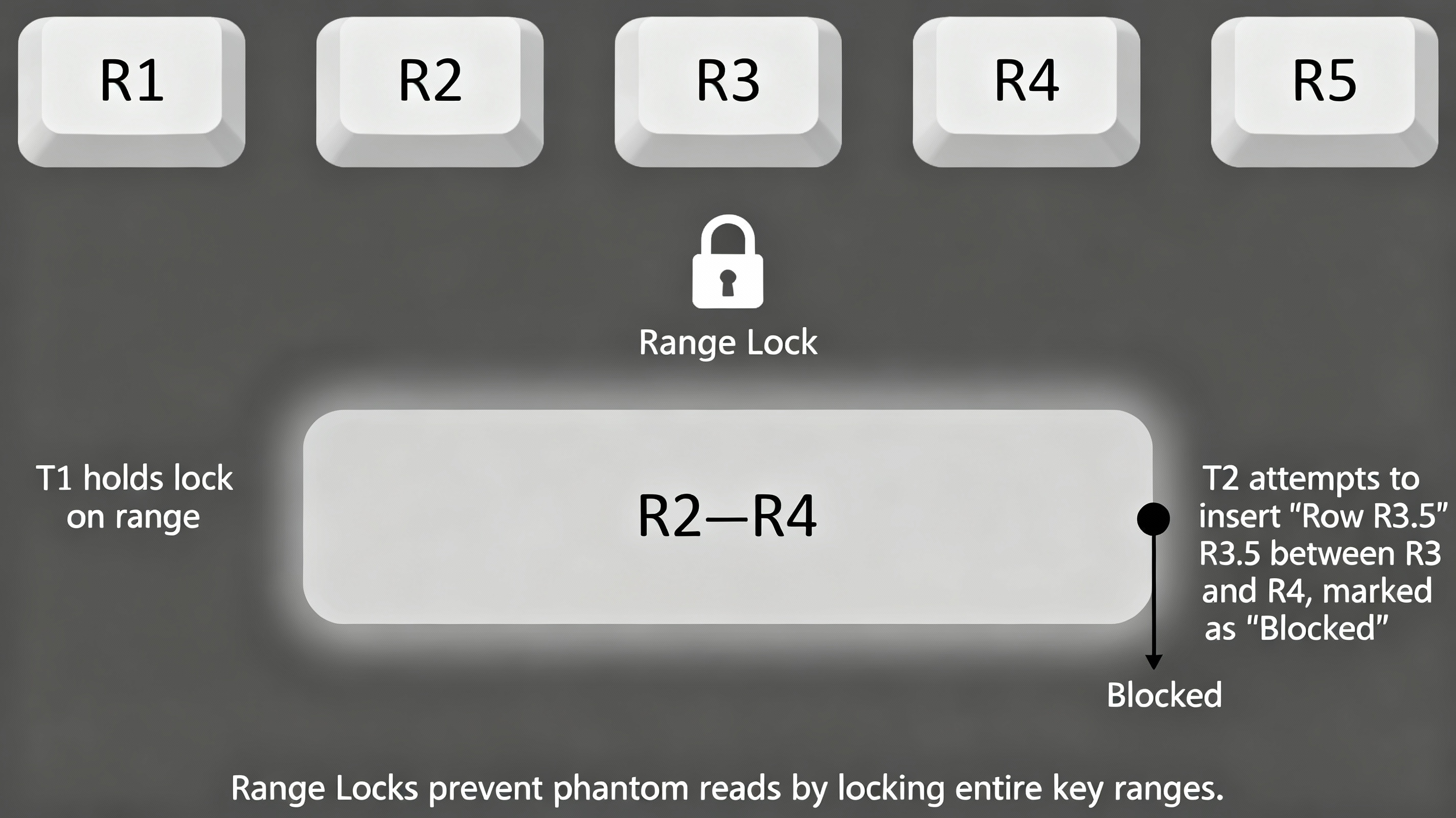
So far, we’ve seen Shared Locks (S-locks) and Exclusive Locks (X-locks).
Both of those lock individual rows.But sometimes locking individual rows isn’t enough.
👉 What if a transaction needs to protect a condition, not just a row?
Example:
Transaction T1:
SELECT * FROM orders WHERE amount > 100;Transaction T2:
INSERT INTO orders VALUES (id=50, amount=150);Without Range Locks:
-
T1 reads rows with amount > 100
-
T2 inserts a new matching row
-
T1 reads again → sees one extra row
❌ Phantom Read
With Range Locks:
-
T1 locks the entire range: “amount > 100”
-
T2 is blocked when trying to insert a row into that range
✔ Phantom prevented
-
Locking in Different Isolation Levels
When multiple transactions run at the same time, the database uses Shared Locks (S-locks) and Exclusive Locks (X-locks) to maintain consistency.
But until when the lock needs to be held changes based on the isolation level
1. Read Uncommitted
Locking behavior:
-
Reads do not take shared locks.
-
Writers take exclusive locks only when modifying data.
Why?
The focus is on speed, not consistency.
Since no S-locks are taken, a transaction can read a row even if another transaction hasn't committed it → leading to dirty reads.
This is the least safe isolation level.
2. Read Committed
(Default for many databases)
Locking Rules
-
Short shared locks while reading
→ S-lock is taken just for the duration of the read and immediately released. -
Exclusive locks during write
→ X-lock held until commit.
Why short shared locks?
Read Committed guarantees only one thing:
👉 You will never read uncommitted data.
So while reading a row:
-
The reader takes a Shared Lock
-
This temporarily blocks writers from modifying that same row
-
After the row is fetched, the lock is released immediately
Because the lock is not held until the transaction ends (commit), if you try to read the same row again later, you may get a different value → Non-repeatable reads.
3. Repeatable Read
Locking Rules
-
Shared locks are held until the transaction ends (commit)
-
Exclusive locks (writes) still held until commit
Why hold S-locks till the end?
To ensure:
👉 If you read a row once, you get the same value for the entire transaction.
The database prevents:
-
Dirty reads
-
Non-repeatable reads
Because no one can modify the row while you are reading it multiple times.
4. Serializable
Locking Rules
-
Uses range locks (predicate locks)
-
Locks entire sets of keys, not individual rows
-
Prevents inserts, deletes, or updates that could change your query result
Why?
To make parallel transactions behave as if they ran one after another.
This eliminates:
-
Dirty reads
-
Non-repeatable reads
-
Phantom reads
But it also reduces concurrency.
MVCC (Multi-Version Concurrency Control)
Until now, everything we discussed was based on locks.
But locks have a drawback:
When one transaction is reading or writing a row, other transactions may have to wait.
This reduces concurrency.
To solve this, many modern databases (PostgreSQL, MySQL InnoDB, Oracle) use a smarter mechanism called MVCC.
MVCC stands for:
Multi-Version Concurrency Control
Meaning:
Instead of blocking readers or writers, the database keeps multiple versions of a row, so different transactions can see different snapshots of the same data at the same time.
Imagine a simple table row:
id = 1, balance = 100
Transaction T1 updates the balance:
UPDATE accounts SET balance = 200 WHERE id = 1;
Before T1 commits, T2 reads the row.
With Locks:
T2 is blocked.
(T1 holds an exclusive lock until commit.)
With MVCC:
The database keeps:
-
Old version: balance = 100
-
New uncommitted version: balance = 200
T2 reads the old stable version (100).
T1 sees and works on the new version (200).
No blocking.
How MVCC Works Internally
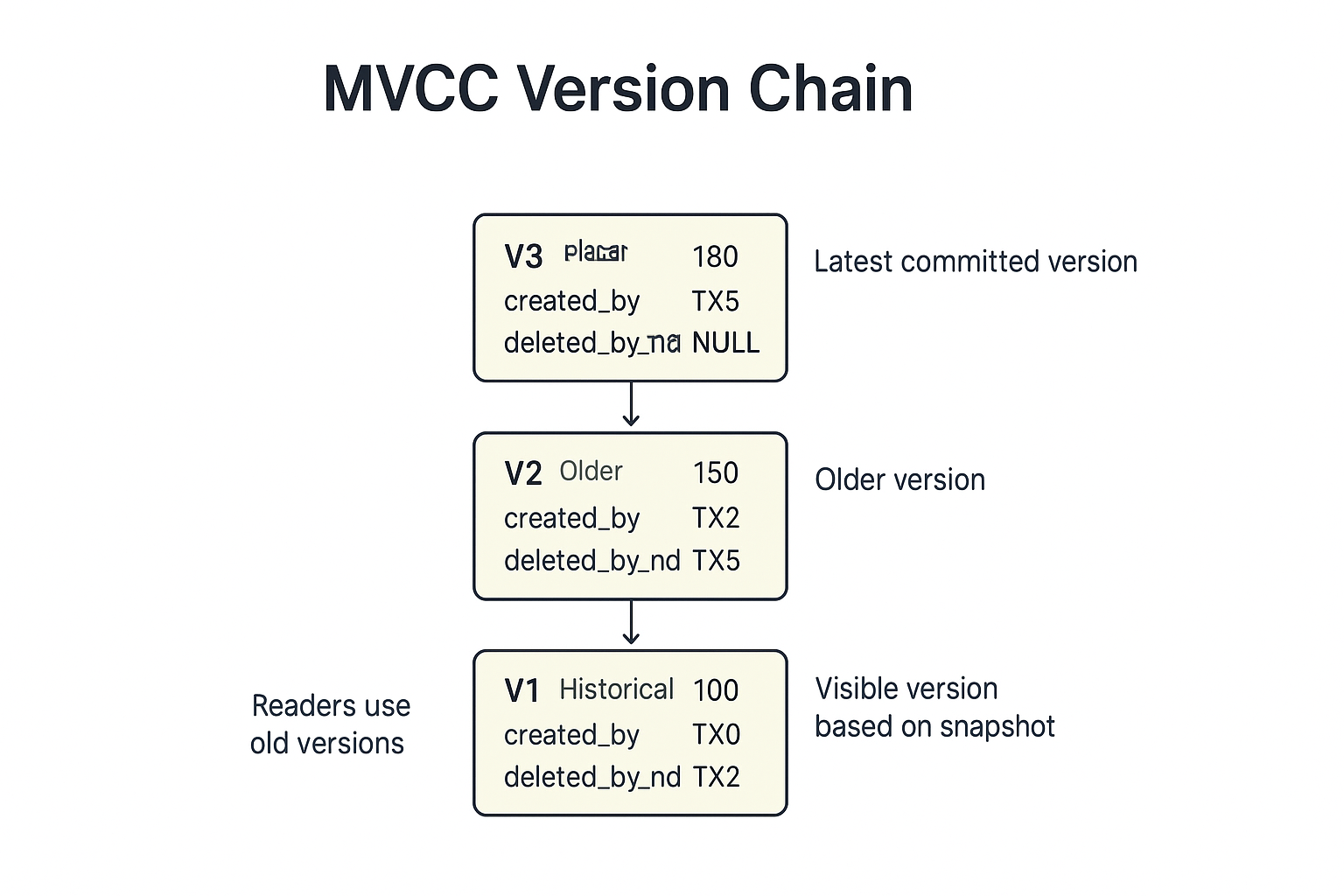
Every row (or version of a row) contains metadata:
-
created_by_txn_id— which transaction created this version -
deleted_by_txn_id— which transaction deleted or replaced this version (NULL if still active)
When a transaction starts, it gets a snapshot — changes that were already committed.
Let’s see how this works with a simple example.
Example — Multiple Versions of a Row
Initial row:
Row Version V1:
  balance = 100
  created_by = TX0   (old committed txn)
  deleted_by = NULL
Step 1: Transaction A starts
TX_A takes a snapshot.
It sees only committed data → V1 is visible.
Step 2: Transaction B updates the row
TX_B updates balance to 150.
Database does NOT overwrite V1.
Instead it creates a new version:
New Row Version V2:
  balance = 150
  created_by = TX_B
  deleted_by = NULL
The old version is now marked as deleted:
V1.deleted_by = TX_B
TX_B commits.
What do different transactions see?
-
TX_A (which started before TX_B committed)
→ Uses its old snapshot
→ Still sees V1 = 100 -
New transactions starting after TX_B commits
→ See V2 = 150
This is the magic of MVCC:
old transactions keep seeing old versions, new transactions see new versions.
What if TX_A tries to update after reading the old version?
TX_A read V1 when it started.
Now it tries to write:
-
DB checks the version chain
-
V1 has
deleted_by = TX_B→ meaning someone else updated the row after TX_A started
This creates a write conflict.
The database will abort TX_A or ask it to retry.
This ensures correctness without blocking reads.
Conclusion
In this article, we saw how databases actually maintain isolation behind the scenes.
Shared locks, exclusive locks, range locks, and MVCC snapshots — each one plays a role in keeping our data correct when many transactions run at the same time.
In the next article, we’ll build on this and learn Optimistic vs Pessimistic Locking with real examples.
If you found this helpful, please give it a like or share it 👍